User Guide
A complete tutorial regarding how to use GoSurvey. We have covered and explained everything related to the working of GoSurvey and its features.

How to set Quality Terminate Redirection?
Quality Terminate ends a survey when a response fails a quality check, then sends the respondent to one redirect URL. The checks are Speeding, Straight-Lining, and Failing Attention Check.
Step 1:
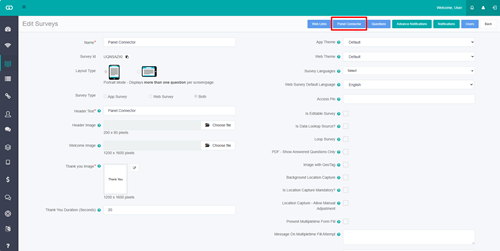
Open the survey in Edit. Click Panel Connector.
Step 2:
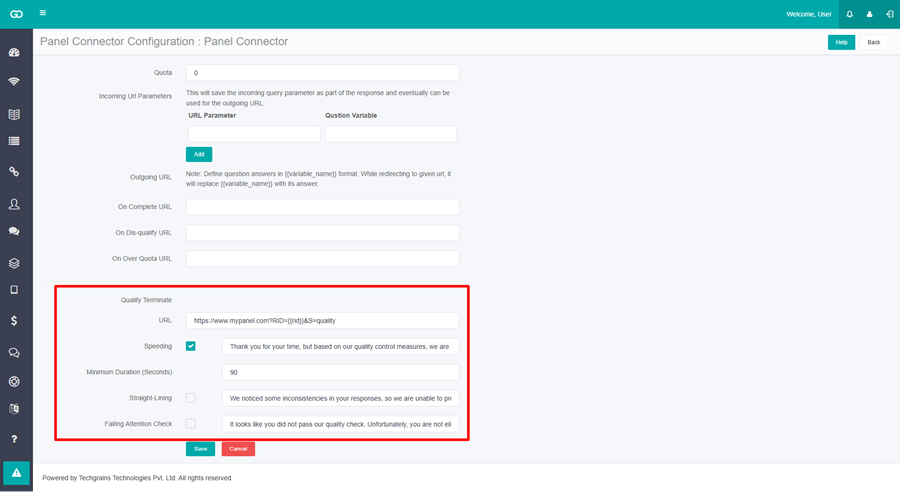
Enter the URL in the Quality Terminate section.
This is where the respondent goes after any of the three checks. A question answer can be included with its variable name in double braces.
https://www.mypanel.com?RID={{rid}}&S=quality
{{rid}} is replaced with the answer stored in the question whose Variable Name is rid.
Step 3:
Set Speeding.
Check Speeding. Minimum Duration (Seconds) appears under it. Enter the shortest time a response may take, and the Message.
The message is already filled in. You can change it:
Thank you for your time, but based on our quality control measures, we are unable to include your responses in this survey.
Speeding is checked when the respondent submits the survey. If the survey was completed in less than the minimum duration, the respondent sees the message and is sent to the Quality Terminate URL.
For a minimum of 90 seconds, a respondent who submits in 40 seconds is stopped and redirected.
Step 4:
Set Straight-Lining.
Check Straight-Lining and set the Message. The message is already filled in:
We noticed some inconsistencies in your responses, so we are unable to proceed with the survey.
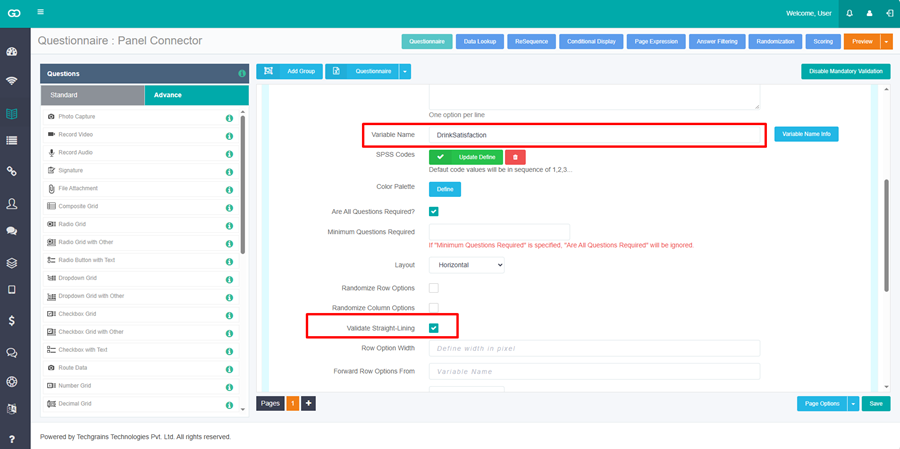
On a Radio Grid or Radio Grid with Other, expand the grid, check Validate Straight-Lining, and set a Variable Name. The variable name is required when Validate Straight-Lining is checked. Save the questionnaire.
When straight-lining is found on that grid, the respondent sees the message and is sent to the Quality Terminate URL.
Step 5:
Set Failing Attention Check.
Check Failing Attention Check and set the Message. Click Save on Panel Connector before you open Branching. The message is already filled in:
It looks like you did not pass our quality check. Unfortunately, you are not eligible to complete this survey.
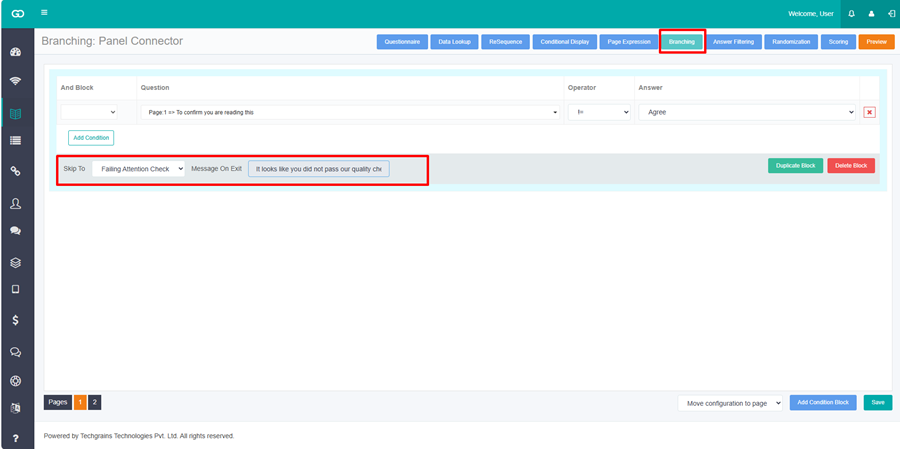
Then open the questionnaire and click Branching.
- Select the page where the check should run. Branching cannot be set on the last page.
- Click Add Condition Block.
- Set Question, the operator, and Answer.
- In Skip To, select Failing Attention Check.
Message On Exit is filled with the failing attention message. You can change it. The respondent sees that message and is sent to the Quality Terminate URL.
Example: the question is To confirm you are reading this, select Agree. The options are Agree and Disagree. The condition is that question, operator !=, answer Agree. Skip To is Failing Attention Check. A respondent who selects Disagree is stopped and redirected.
Step 6:
Click Save on Panel Connector.