User Guide
A complete tutorial regarding how to use GoSurvey. We have covered and explained everything related to the working of GoSurvey and its features.

Option Forwarding
Option Display or Option Forwarding is a feature using which one can forward the selected options to the next question.
Forward selected options to a choice question
Use this when the later question is a Radio Button, Check Box, Drop Down, or the same type with an Other option.
Below are the steps you need to follow for doing the configuration
Step 1:
Open the survey questionnaire and click Answer Filtering.
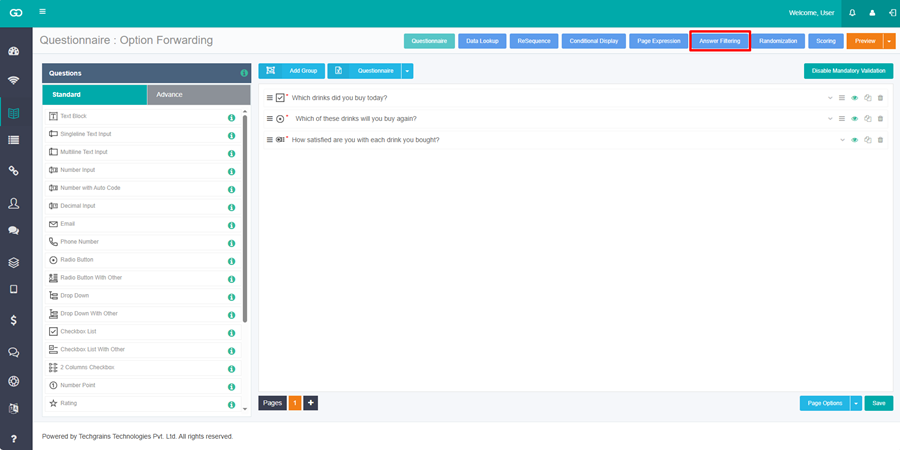
Step 2:
Expand the later question. This cannot be the first question on the first page. Click Add Filter Criteria.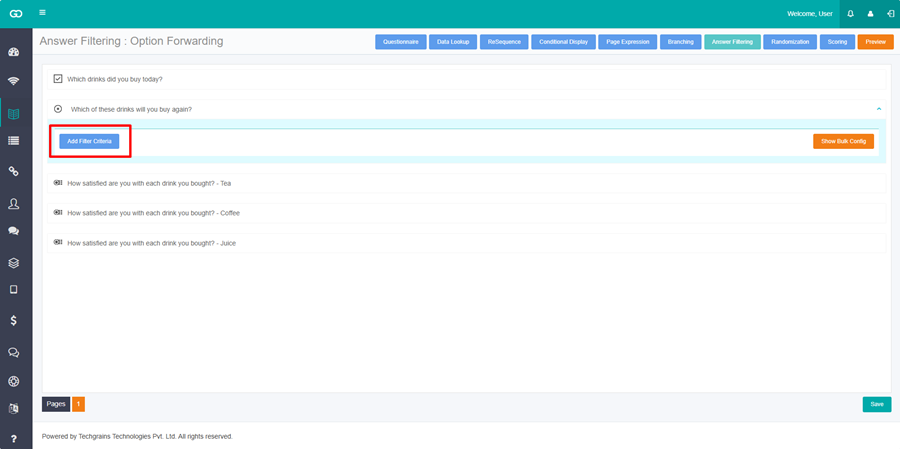
Step 3:
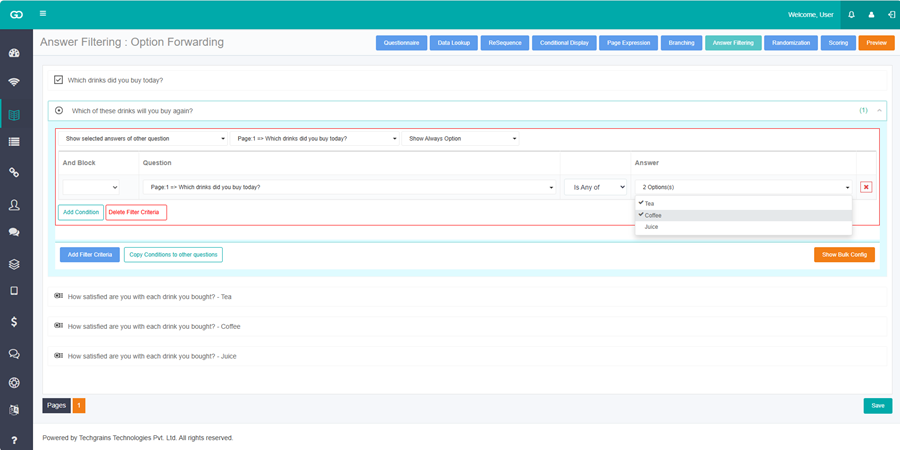
Open Select Answer Filter Type and choose Show selected answers of other question.
Step 4:
Open Select Question and choose the earlier question. The later question then shows the options the respondent selected there.

Step 5:
In Show Always Option, select any options that should stay visible every time.
Step 6:
Click Add Condition when the forwarded options should appear only for a matching answer. Choose the earlier question, the operator, and the answer. Give conditions the same And Block color when all of them must match.
Step 7:
Click Save.