User Guide
A complete tutorial regarding how to use GoSurvey. We have covered and explained everything related to the working of GoSurvey and its features.

How to forward options into a grid?
Option forwarding fills the rows or columns of a grid from an earlier question. The respondent’s choice in that question decides which rows or columns appear.
Set a Variable Name on the earlier question. On the grid, enter that name in Forward Row Options From or Forward Column Options From.
Step 1:
Open the survey questionnaire.
Step 2:
Expand the earlier question. This is the question whose options will be carried forward. It must come before the grid.
Set Variable Name. You will use this same name on the grid.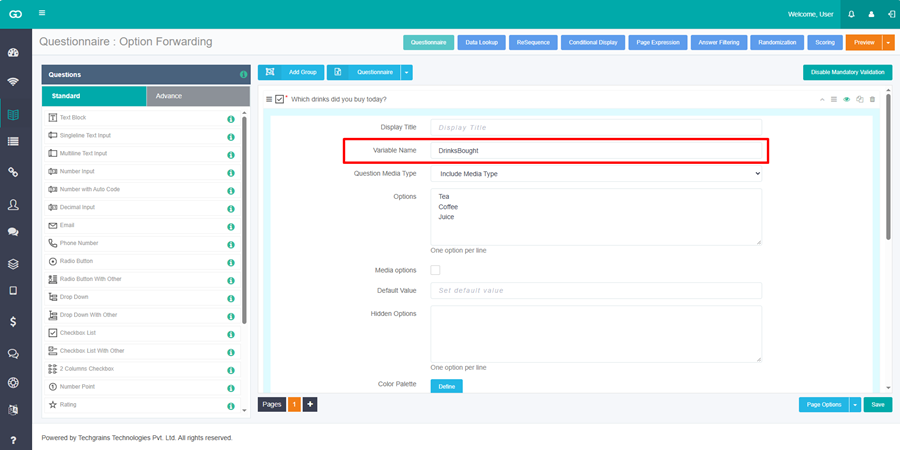
Step 3:
Expand the grid question.
Step 4:
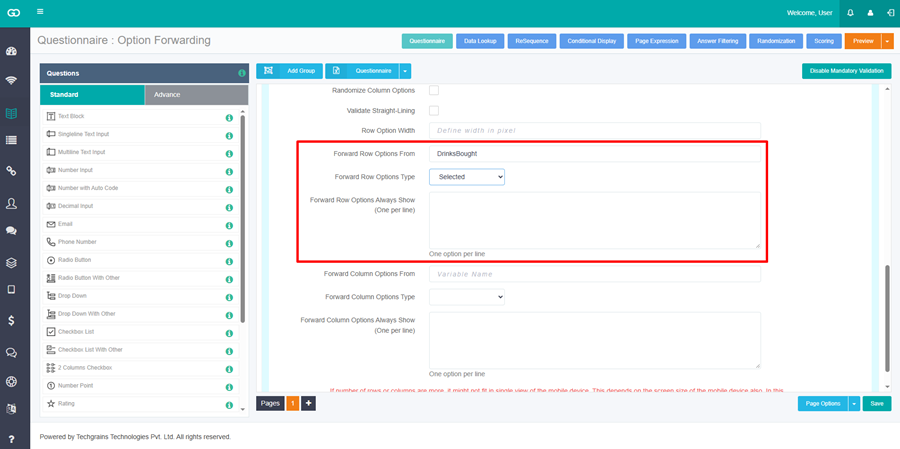
Carry the options into the rows.
- Forward Row Options From — enter the variable name from Step 2.
- Forward Row Options Type — choose Selected to use the options the respondent selected. Choose UnSelected to use the options the respondent did not select.
- Forward Row Options Always Show — options that stay in the rows on every response. Enter one option on each line. Leave this blank when every row should come only from the earlier question.
Step 5:
Carry the options into the columns only when the columns should change too.
- Forward Column Options From — the variable name of the earlier question.
- Forward Column Options Type — Selected or UnSelected.
- Forward Column Options Always Show — one option on each line. Leave this blank when every column should come only from the earlier question.
Leave the column fields blank when the columns are fixed and only the rows should change.
Step 6:
On a Dropdown Grid, use Forward Question Options From and Forward Question Options Type when the choices inside each cell should come from an earlier question. Forward Question Options Type is Selected or UnSelected.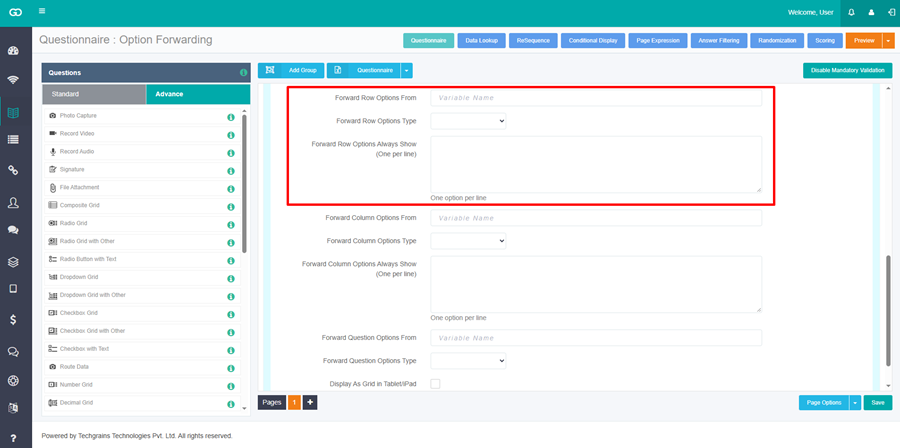
Step 7:
Save the questionnaire.
Radio Grid and Check Box Grid have the row and column fields. Dropdown Grid also has the question-option fields. NPS Grid with Code has the row fields.
Example
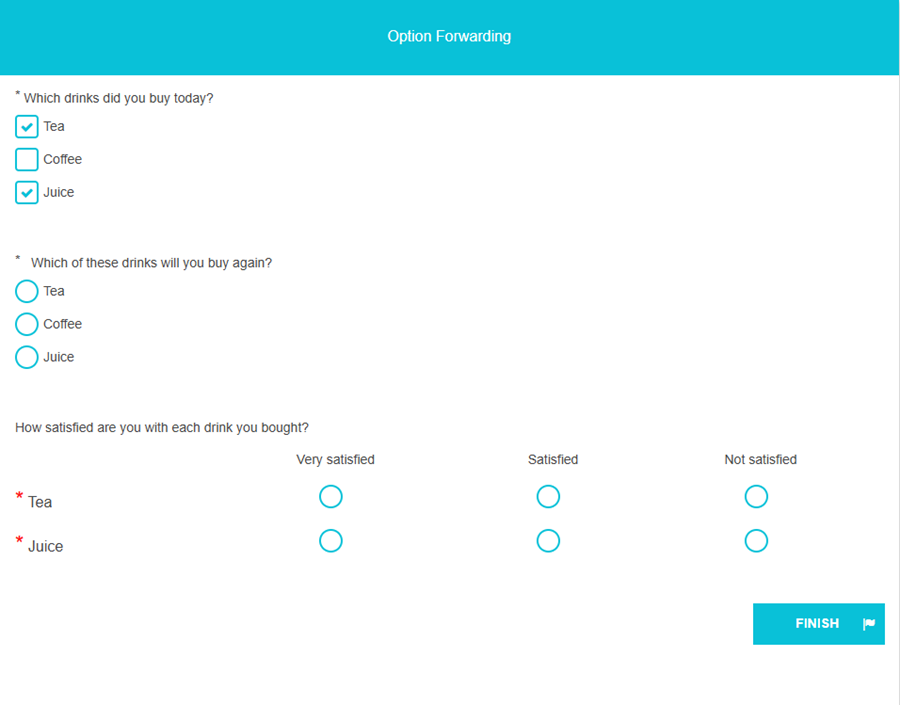
- Which drinks did you buy today? Check Box. Options: Tea, Coffee, Juice. Variable Name: DrinksBought.
- Which of these drinks will you buy again? Radio Button. Options: Tea, Coffee, Juice.
- How satisfied are you with each drink you bought? Radio Grid. Rows: Tea, Coffee, Juice. Columns: Very satisfied, Satisfied, Not satisfied.
On question 1, set Variable Name to DrinksBought.
On question 3, set Forward Row Options From to DrinksBought and Forward Row Options Type to Selected. Leave Forward Row Options Always Show blank. Leave the column fields blank, so the columns stay Very satisfied, Satisfied, and Not satisfied.
A respondent who selects Tea and Coffee sees those two drinks as the rows, and chooses Very satisfied, Satisfied, or Not satisfied for each one.