User Guide
A complete tutorial regarding how to use GoSurvey. We have covered and explained everything related to the working of GoSurvey and its features.

How to access Survey data through API?
GoSurvey provides the API that can be used to fetch the collected data to use it in internal system or with some external tools for various purposes like backup of the data, internal dashboard creation, client facing dashboard etc.…
These APIs need the APIKey for authentication purpose.
There are two APIs for this:
- GetSurveyList — Get the list of the surveys
- FetchSurveyData — Get the data for a given survey
Step 1:
Login to your GoSurvey account with the same credentials you used while creating the account.
Step 2:
Click the Profile icon at the top right.
Open the Setting tab.
Find API Key and copy it (use the copy button next to the key).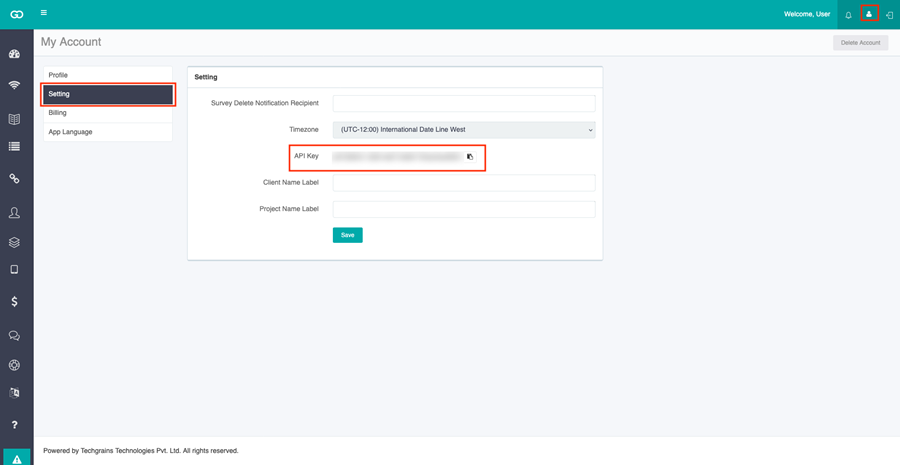
Step 3: Get the list of surveys (GetSurveyList)
This API will fetch all the surveys in your account. Each survey will have its own unique Id value.
HTTP Method: GET
URL: https://api.gosurvey.in/api/rest/GetSurveyList
Header:
Response:
{
Response:
{
Note: The fields represent the unique column names for each of the questions configured in the survey. The ones without Col_ -- are system generated.